Live Call Translation API: Build vs Buy in 2026
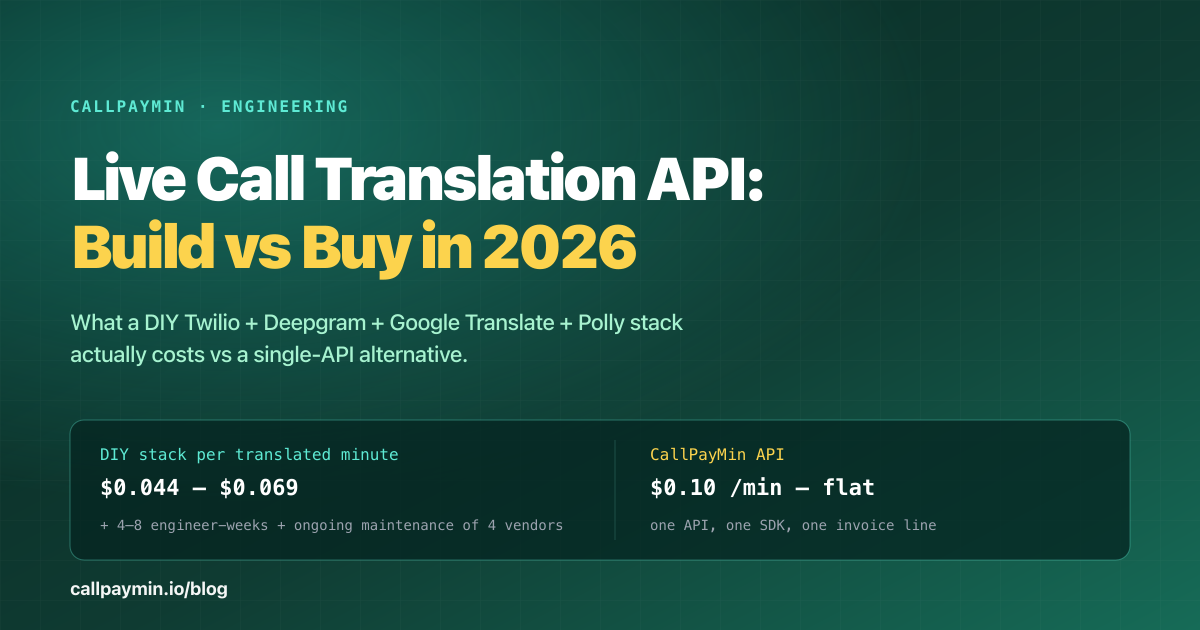
You are building a product that already has voice or video calls, and the "add live translation" ticket just landed in your sprint. The question for the engineering lead is unavoidable: do we build it ourselves on Twilio Media Streams plus Deepgram plus Google Translate plus Amazon Polly, or do we buy a single API that handles the whole translation path?
This post is the honest version of that math. We ship live call translation at CallPayMin so we have an opinion, but we have also run the DIY stack in a prior product. Here is what you are signing up for either way.
The four pieces of a live-translation pipeline
A production-grade live-translation pipeline on a two-person call has four moving parts, in order of audio flow:
- Speech-to-text (STT) — the speaker's audio is streamed to a transcription service that returns partial results every few hundred milliseconds and a finalized sentence every one to two seconds. Deepgram and AssemblyAI dominate here; Google Cloud Speech-to-Text and Azure Speech are the enterprise defaults.
- Machine translation (MT) — each finalized transcript segment is sent to a translation API that returns the target-language text. OpenAI gpt-4o-mini is popular for quality on conversational speech; Google Cloud Translation and Amazon Translate are the throughput workhorses.
- Translated voice synthesis (TTS) — the translated text is sent to a text-to-speech API that returns audio in the target language. Amazon Polly is the cost leader; ElevenLabs leads on naturalness; Google Cloud Text-to-Speech sits between them.
- Call-side infrastructure — the translated audio is streamed into the listener's call leg, the captions are rendered on screen, both participants' consent is captured and verified, and every translated second is metered for billing. This is the part most teams underestimate.
Four vendors. Four SDKs. Four invoices. Four latency budgets you have to control to stay inside the one-and-a-half to three second target that makes translated conversation feel natural.
Per-minute cost math on a DIY stack
Here is a realistic per-translated-minute cost for a well-tuned DIY stack as of late 2026. Prices are published rates; volume discounts shift them 10–30%.
| Component | Vendor | Cost per translated minute |
|---|---|---|
| Call-side media stream | Twilio Media Streams | ~$0.004 |
| Speech-to-text | Deepgram Nova-2 streaming | ~$0.0043 |
| Machine translation (~1,000 chars/min) | Google Cloud Translation | ~$0.020 |
| Translated voice synthesis | Amazon Polly Neural | ~$0.016 |
| Direct subtotal | ~$0.044 | |
| ElevenLabs voice instead of Polly | ElevenLabs Turbo v2.5 | +$0.020 |
| GPT-4o-mini translation instead of Google | OpenAI | +$0.005 |
| Realistic quality subtotal | ~$0.069 |
CallPayMin organization translation is included within fixed subscription allowances. Compare the required plan and included limits against your actual provider costs and engineering effort. Larger usage requires an agreed package.
The costs the DIY table hides
The table above is the price your CFO will see on four separate invoices. It is not the total cost of running live translation in production. Here is what it leaves out:
Engineering time to glue four vendors together. A production integration — streaming audio from Twilio Media Streams into Deepgram, piping finalized transcripts into translation, running the translated text through TTS, mixing the result back into the listener's call leg, and doing this without the latency compounding past three seconds — is a four-to-eight engineer-week project. At a $200K fully loaded engineer cost, that is $15,000 to $30,000 in build cost before the first translated minute ships.
Latency tuning. Each vendor has its own tuning knobs: Deepgram interim_results and endpointing, OpenAI stream, Polly SynthesisTask vs SynthesizeSpeech. The default settings on each will give you a three-to-five second end-to-end delay. Getting under two seconds requires reading the fine print on four separate docs sites and running your own latency harness.
Two-party consent flow. Live translation on a call is a disclosure event for both participants in most jurisdictions. You need to capture explicit opt-in from both sides, store the consent record, replay it if challenged, and let either party revoke mid-call. None of your four vendors ships this; you build and store it yourself.
Session state and failover. A translated call has to survive a Deepgram timeout, a translation API 500, a Polly rate limit, or a WebRTC renegotiation without dropping the base call. "Fall back to original audio and surface a non-blocking error" is the right behavior; it is maybe 20% of the engineering time on the project.
Billing meter. You charge per translated minute. That means you need a server-side event stream of "translation active" state, a reliable clock, dispute-handling for ambiguous seconds, and reconciliation against the four underlying vendor bills. Build the meter wrong and you either overcharge customers or eat the delta yourself.
Ongoing maintenance. Every quarter, one of your four vendors ships a breaking change — a model deprecation, an SDK major version, a pricing restructure. You handle each one. Multiply by a 24-month product horizon.
Where the crossover is
Put the two sides of the ledger together and the crossover looks like this.
CallPayMin organization translation is included within fixed subscription allowances. Compare the required plan and included limits against your actual provider costs and engineering effort. Larger usage requires an agreed package.
Between 500,000 and 5 million translated minutes per year, it depends. If translation is a strategic differentiator you want to control end-to-end, build. If it is a feature on the roadmap behind seven other features, buy. The direct infrastructure savings ($0.03 to $0.06 per minute) start to pay for ongoing maintenance at this volume, but opportunity cost on your engineering team is real.
Above 5 million translated minutes per year, build. The direct savings are now $150,000 to $300,000 per year, well past the maintenance cost, and you probably want direct control of the latency and language quality anyway.
What the subscription includes
CallPayMin organization translation is included within fixed subscription allowances. Compare the required plan and included limits against your actual provider costs and engineering effort. Larger usage requires an agreed package.
- Deepgram-powered streaming STT with Flux voice synthesis for translated output in 42 languages
- OpenAI gpt-4o-mini machine translation on finalized sentence segments
- Caption event stream (JSON over WebSocket) for your own UI
- Two-party consent capture, storage, and revocation
- Participant-scoped gateway credentials so your backend never ships your Deepgram or OpenAI keys to the client
- Per-minute billing meter, reconciled on your organization wallet in one line item
- Original call continues on translation failure — no cascading drop
- Works alongside Twilio Voice, Twilio Video, Agora, Daily, Vonage, or custom WebRTC
No separate contract with Deepgram, no OpenAI usage dashboard to monitor, no Polly quota alarms. Full detail on the integration surface lives on the live translation API page, with specific use-case walkthroughs for call centers, video conferencing apps, and customer support stacks.
Honest closing note
Build-versus-buy posts from vendors are usually sales decks dressed up as analysis. We ship this feature, so our incentive is clear. The actual recommendation stands anyway: under 500,000 translated minutes a year, almost nobody should be stitching four vendors together. The direct cost savings are real but tiny next to the engineering and maintenance drag, and the latency is harder than it looks until you have run it in production.
Above that volume, do your own math with the numbers above and go in with eyes open. Either way, the question deserves a spreadsheet, not a Slack poll.
If you want a demo on a shared screen with your real audio in your target languages, email the integration team at support@callpaymin.io or use the contact form on the API page. We will show you the latency on your laptop in under 10 minutes.